An API with Node.js and Express
25 minBeginner
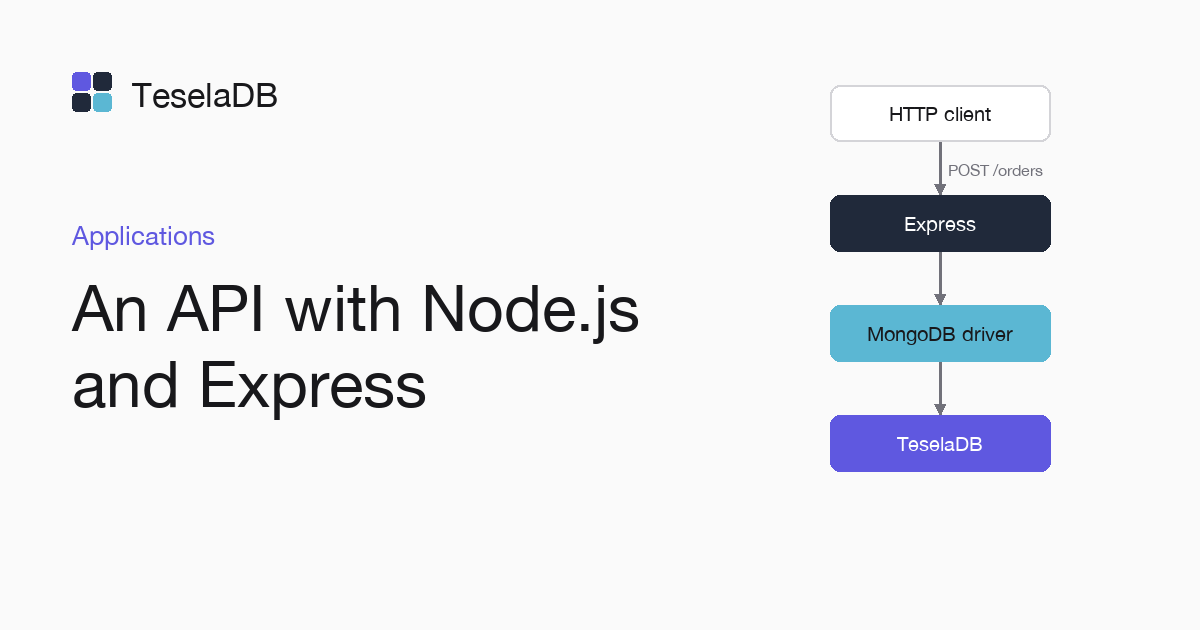
In this guide you will learn to build an orders API with Express and the official MongoDB driver that saves and reads in TeselaDB.
A Node.js API uses TeselaDB with the official MongoDB driver, the same way it would use MongoDB. Here you write with Express an orders API with one endpoint to create an order and another to read it.
What you will build
An Express server on port 3000 with POST /orders, which validates the order and saves it, and GET /orders/:id, which
returns it or answers 404.
Requirements
- Node.js 18 or later.
- Docker and
mongosh, to start TeselaDB on your machine and look at the data.
Set up the environment
docker run -d --name teseladb -p 27017:27017 viuzi/teseladb:latest \
  start --dbpath /data --insecure --insecure-allow-remote --bind_ip 0.0.0.0
export TESELADB_URI="mongodb://127.0.0.1:27017/shop"
mongosh "$TESELADB_URI" --quiet --eval 'db.runCommand({ ping: 1 }).ok'
The container starts a TeselaDB node without TLS or users, which is enough to follow the guide on your machine. Once mongosh answers 1, the node takes connections. TESELADB_URI points at that node and the shop database; in a production cluster the string carries TLS and a user, as Connect your application explains.
1. Create the project
mkdir orders-api && cd orders-api
npm init -y
npm install express mongodb
2. Write the API
Save it as app.mjs. The client is created once at start-up and shares its connections across every request:
import express from "express";
import { MongoClient, ObjectId } from "mongodb";

const client = new MongoClient(process.env.TESELADB_URI);
const orders = client.db("shop").collection("orders");
const app = express();
app.use(express.json());

app.post("/orders", async (req, res) => {
  const { customer, total } = req.body;
  if (typeof customer !== "string" || typeof total !== "number" || total < 0) {
    return res.status(400).json({ error: "customer and a total of 0 or more are required" });
  }
  const { insertedId } = await orders.insertOne({ customer, total, createdAt: new Date() });
  res.status(201).json({ id: insertedId });
});

app.get("/orders/:id", async (req, res) => {
  if (!ObjectId.isValid(req.params.id)) return res.status(404).end();
  const order = await orders.findOne({ _id: new ObjectId(req.params.id) });
  if (!order) return res.status(404).end();
  res.json(order);
});

await client.connect();
app.listen(3000, () => console.log("listening on 3000"));
Try it
Start the server with node app.mjs. Then, in another terminal, create an order for Ana with a total of 30 and read it
back with the id that the first request returns, which goes in place of <id> in the second command:
curl -s -X POST localhost:3000/orders -H "content-type: application/json" -d '{"customer":"Ana","total":30}'
curl -s localhost:3000/orders/<id>
The first command returns {"id":"…"} and the second, the order with its creation date. An order without total
answers 400.
Clean up
Stop the server with Ctrl+C and delete the test orders from mongosh. At the end, remove the container too with the last command: the node keeps its data inside, with no volume, so everything you wrote during the guide goes with it and port 27017 is free again.
db.getSiblingDB("shop").orders.deleteMany({ customer: "Ana" });docker rm -f teseladbNext steps
- Inventory without overselling, with a transaction between the stock and the order.
- Write guarantees and retries, to choose the API's write concern.