Inventory without overselling
30 minIntermediate
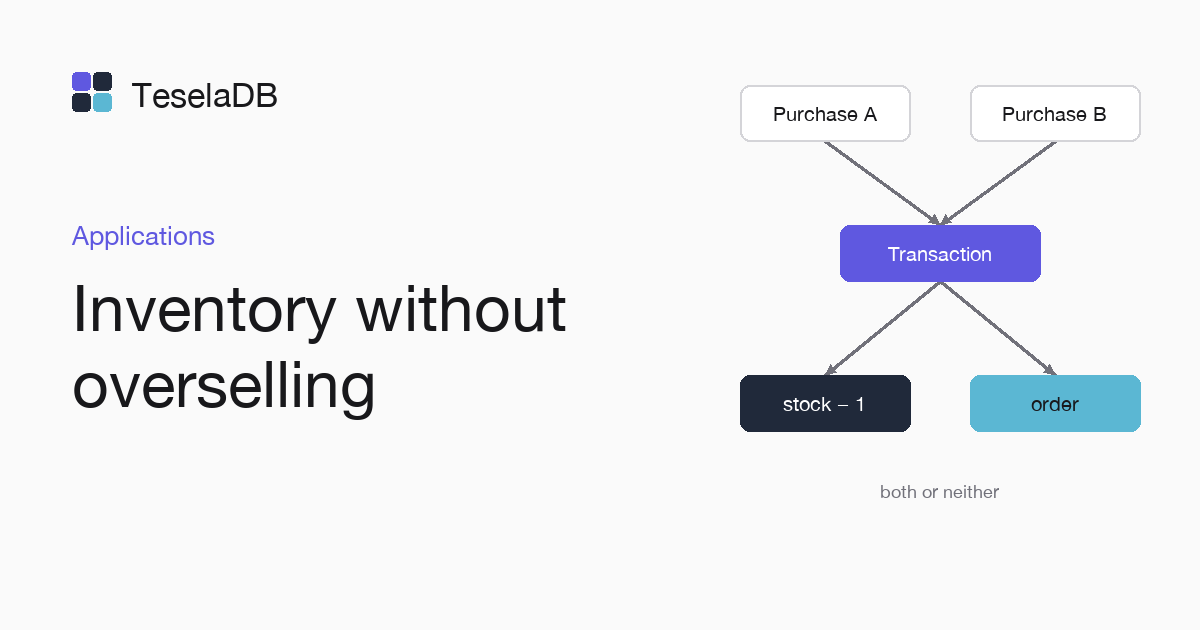
Two purchases at once never sell the same unit when the stock and the order change in a single transaction.
When several customers buy the last product at once, each purchase has to take the stock and create its order without stepping on the others. With a multi-document transaction both writes happen together or neither does, whether the stock and the orders are in the same range or in ranges on different nodes.
What you will build
A Node.js placeOrder function that takes units only if there are enough left and creates the order in the same
transaction. Five purchases at once of a product with three units leave three orders and the stock at zero.
Requirements
- Node.js 18 or later.
- Docker and
mongosh, to start TeselaDB on your machine and look at the data.
Set up the environment
docker run -d --name teseladb -p 27017:27017 viuzi/teseladb:latest \
  start --dbpath /data --insecure --insecure-allow-remote --bind_ip 0.0.0.0
export TESELADB_URI="mongodb://127.0.0.1:27017/shop"
mongosh "$TESELADB_URI" --quiet --eval 'db.runCommand({ ping: 1 }).ok'
mkdir inventory && cd inventory && npm init -y && npm install mongodb
The container starts a TeselaDB node without TLS or users, which is enough to follow the guide on your machine. Once mongosh answers 1, the node takes connections. TESELADB_URI points at that node and the shop database; in a production cluster the string carries TLS and a user, as Connect your application explains. The last line creates the program's folder with the mongodb package installed.
1. Take the stock with a condition
The available: { $gte: quantity } filter makes the update change the document only if there are enough units left.
If nothing changes, the function throws an error and the whole transaction is undone.
2. Write the purchase in a transaction
withTransaction retries the transaction when it collides with another one that touched the same document, so you do
not write the retries yourself. Save the program as inventory.mjs:
import { MongoClient } from "mongodb";

const client = new MongoClient(process.env.TESELADB_URI);
const db = client.db("shop");

// Takes the units from the stock and writes the order in one transaction: both happen, or neither.
async function placeOrder(sku, quantity, customer) {
  const session = client.startSession();
  try {
    return await session.withTransaction(async () => {
      const taken = await db
        .collection("stock")
        .updateOne({ _id: sku, available: { $gte: quantity } }, { $inc: { available: -quantity } }, { session });
      if (taken.modifiedCount === 0) throw new Error(`not enough stock for ${sku}`);
      await db.collection("orders").insertOne({ sku, quantity, customer, createdAt: new Date() }, { session });
    });
  } finally {
    await session.endSession();
  }
}

await db.collection("stock").insertOne({ _id: "chair-red", available: 3 });
const customers = ["Ana", "Luis", "Marta", "Pablo", "Sara"];
const results = await Promise.allSettled(customers.map((customer) => placeOrder("chair-red", 1, customer)));
const placed = results.filter((result) => result.status === "fulfilled").length;
const { available } = await db.collection("stock").findOne({ _id: "chair-red" });
console.log(`${placed} orders placed, ${available} left`);
await client.close();
Try it
Run node inventory.mjs against an empty database. The five purchases go at once, three find stock and two fail with
not enough stock:
3 orders placed, 0 leftClean up
db.getSiblingDB("shop").stock.deleteOne({ _id: "chair-red" });
db.getSiblingDB("shop").orders.deleteMany({ sku: "chair-red" });
From mongosh, the first command deletes the test product and the second deletes its orders. At the end, remove the container too with the last command: the node keeps its data inside, with no volume, so everything you wrote during the guide goes with it and port 27017 is free again.
docker rm -f teseladbNext steps
- Transactions, with what snapshot isolation guarantees.
- Retries and transient errors, to write the retries by hand.