Webhooks from a change stream
25 minIntermediate
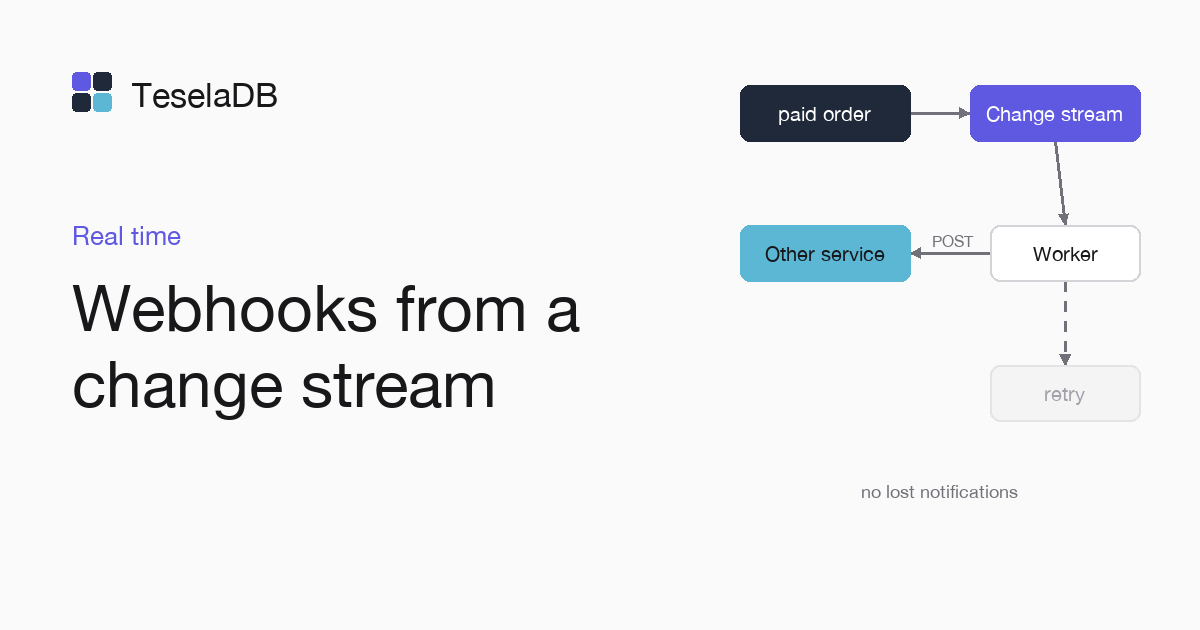
Another service gets a webhook for each paid order, without losing notifications if your process stops.
A change stream gives you each new order in commit order. If you save its token after each notification, the process can stop and carry on where it left off, without losing orders.
What you will build
A Node.js process that watches the orders collection and sends a POST to a URL for each order inserted with
status: "paid". Each notification carries the idempotency-key header with the order's _id.
Requirements
- Node.js 18 or later.
- Docker and
mongosh, to start TeselaDB on your machine and look at the data.
Set up the environment
docker run -d --name teseladb -p 27017:27017 viuzi/teseladb:latest \
  start --dbpath /data --insecure --insecure-allow-remote --bind_ip 0.0.0.0
export TESELADB_URI="mongodb://127.0.0.1:27017/shop"
mongosh "$TESELADB_URI" --quiet --eval 'db.runCommand({ ping: 1 }).ok'
mkdir webhooks && cd webhooks && npm init -y && npm install mongodb
node -e "require('node:http').createServer((req, res) => { req.pipe(process.stdout); res.end() }).listen(8080)" &
export WEBHOOK_URL="http://127.0.0.1:8080/"
The container starts a TeselaDB node without TLS or users, which is enough to follow the guide on your machine. Once mongosh answers 1, the node takes connections. TESELADB_URI points at that node and the shop database; in a production cluster the string carries TLS and a user, as Connect your application explains. The last three lines create the program's folder and start on port 8080 a receiver that prints each notification, with its address in WEBHOOK_URL; in your system you will put the URL of your service.
1. The process
Save it as webhooks.mjs. The stream's filter lets through only the inserts of paid orders:
import { MongoClient } from "mongodb";

const client = new MongoClient(process.env.TESELADB_URI);
const db = client.db("shop");
const state = db.collection("stream_state");
const saved = await state.findOne({ _id: "order-webhooks" });

// New paid orders only, from where the last run stopped.
const stream = db
  .collection("orders")
  .watch(
    [{ $match: { operationType: "insert", "fullDocument.status": "paid" } }],
    saved ? { resumeAfter: saved.token } : {},
  );

for await (const change of stream) {
  const response = await fetch(process.env.WEBHOOK_URL, {
    method: "POST",
    headers: { "content-type": "application/json", "idempotency-key": String(change.documentKey._id) },
    body: JSON.stringify({ type: "order.paid", order: change.fullDocument }),
  });
  if (!response.ok) throw new Error(`webhook answered ${response.status}`);
  await state.updateOne({ _id: "order-webhooks" }, { $set: { token: change._id } }, { upsert: true });
}
2. Notifications that can repeat
The process saves the token after the service answers. If it stops between the notification and the save, it repeats
that notification when it comes back. The receiving service uses the idempotency-key header so it does not handle the
same order twice. If the service answers with an error, the process stops without saving the token and retries on the
next start.
Try it
Start the process with node webhooks.mjs and, from mongosh, insert one paid order and one pending order in the same
call, so you can see that the filter of the stream lets through only the first of the two:
db.getSiblingDB("shop").orders.insertMany([
  { _id: 1, status: "paid", total: 30 },
  { _id: 2, status: "pending", total: 12 },
]);
The service gets a single notification, the one for order 1. Stop the process, insert another paid order and start it again: that order's notification arrives on the restart, because the stream continues from the saved token.
Clean up
db.getSiblingDB("shop").stream_state.deleteOne({ _id: "order-webhooks" });Stop the process with Ctrl+C and run this command in mongosh to delete the saved token, so a new test starts from
scratch. At the end, remove the container too with the last command: the node keeps its data inside, with no volume, so everything you wrote during the guide goes with it and port 27017 is free again.
kill %1
docker rm -f teseladb
Next steps
- Filter events, with the filters
watchaccepts. - Invalidate a cache with change streams, with the same pattern for Redis.