Verify a migration with counts and hashes
25 minIntermediate
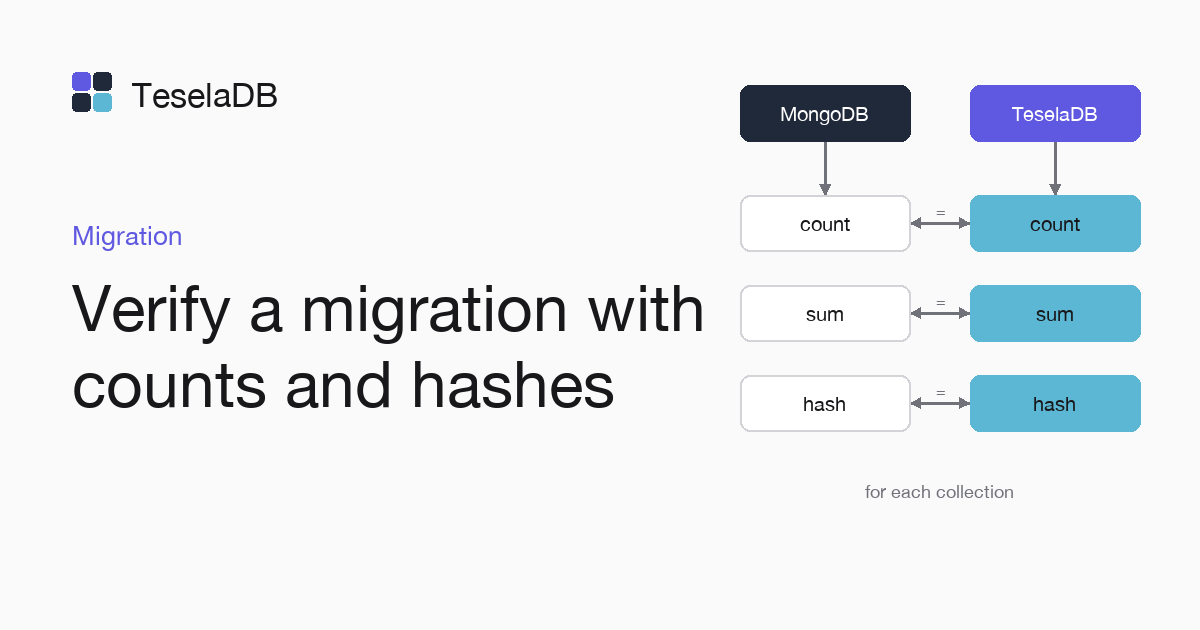
To know whether a migration went right, you compare each collection in MongoDB and in TeselaDB by its count, a sum and a hash of its documents.
Before moving the traffic to TeselaDB, check that each collection holds the same documents as in MongoDB. You run the same read-only queries against both and compare what they return.
What you will build
A mongosh script that gives, for each collection, its count, the sum of a numeric field and a SHA-256 hash of all its
documents in _id order. If the three values match in MongoDB and in TeselaDB, the collection was copied whole.
Requirements
- Both sides of the migration from Migrate from MongoDB: the source MongoDB on port 27018
and TeselaDB with its string in
TESELADB_URI, or your own servers with read access. - Writes to MongoDB stopped, or a copy made with
--oplogand applied with--oplogReplay.
1. Count and sum
The sum of a numeric field detects documents that are missing or that changed, and it costs a single aggregation:
db.orders.aggregate([{ $group: { _id: null, n: { $sum: 1 }, total: { $sum: "$total" } } }]);2. Hash of each collection
The hash walks the documents in _id order and turns them into canonical Extended JSON, so it changes if any field of
any document changes, even when the count and the sum of the previous step still match:
const crypto = require("crypto");
const hash = crypto.createHash("sha256");
db.orders
  .find()
  .sort({ _id: 1 })
  .forEach((doc) => hash.update(EJSON.stringify(doc, { relaxed: false })));
print(hash.digest("hex"));
With an empty collection, the hash is the one of an empty input, the SHA-256 of zero bytes, which is what the example
prints when orders has no documents:
e3b0c44298fc1c149afbf4c8996fb92427ae41e4649b934ca495991b7852b855Try it
cat > verify.js <<'EOF'
db = db.getSiblingDB("shop");
printjson(db.orders.aggregate([{ $group: { _id: null, n: { $sum: 1 }, total: { $sum: "$total" } } }]).toArray());
const crypto = require("crypto");
const hash = crypto.createHash("sha256");
db.orders
  .find()
  .sort({ _id: 1 })
  .forEach((doc) => hash.update(EJSON.stringify(doc, { relaxed: false })));
print(hash.digest("hex"));
EOF
mongosh "mongodb://127.0.0.1:27018/" --quiet --file verify.js
mongosh "$TESELADB_URI" --quiet --file verify.js
The commands put both blocks in one file, with a first line that picks the database of the migration, and run it
against both sides, where the counts, the sums and the hashes must match. With the three test orders, both sides give n: 3, total: 97 and the same hash. Repeat with each collection. If a
hash differs and the count does not, find the different document by splitting the collection into _id ranges and
comparing the hash of each part.
Clean up
The checks only read, so they leave nothing in either database. Delete the script file with the command below and clean up the containers with the migration guide.
rm verify.jsNext steps
- Rollback plan, before moving the traffic.
- Adapt your application, with the differences that matter most.