Mutual TLS with your own CA
40 minAdvanced
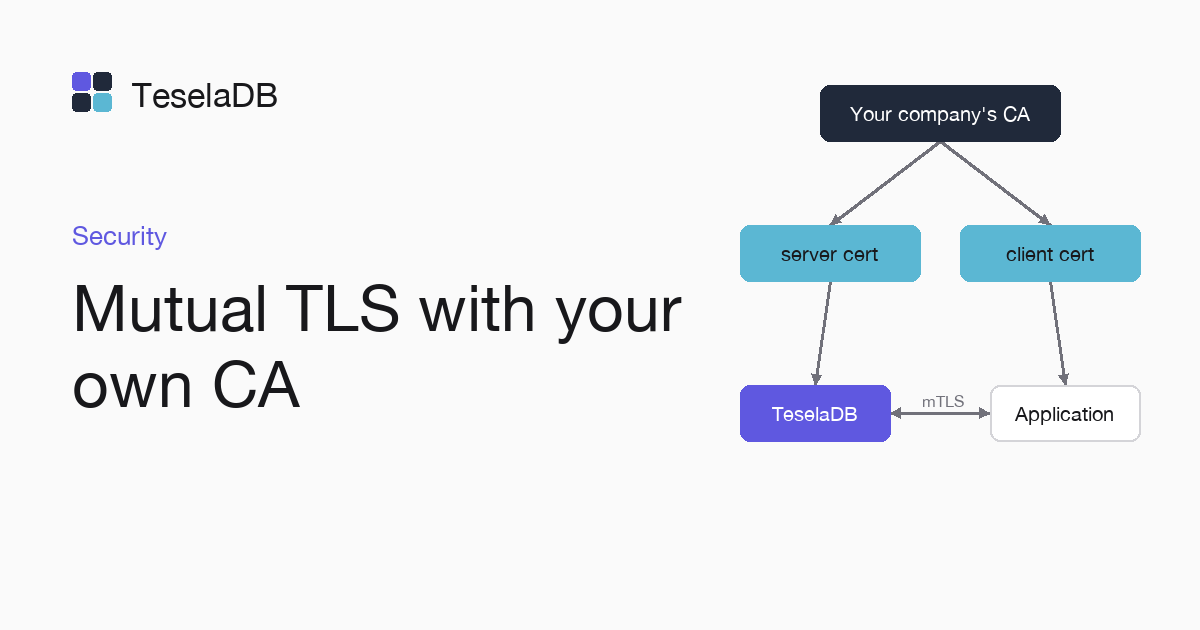
If your company already has a CA, its certificates can protect the client port and authenticate an application without a password.
TeselaDB creates its own CA on the first start and uses it between nodes. On the client port you can present your CA's
certificates and ask each application for its client certificate, which also authenticates it with MONGODB-X509.
What you will build
A test CA, a server certificate for node-01 and a client certificate for the shop-api application. The node
presents its own to clients. The application connects with its certificate, without a password.
Requirements
- OpenSSL 3, Docker and
mongoshon your machine.
If your company already has a CA, use its certificates and skip steps 1 to 3.
1. Create the CA
The CA key signs every certificate. Keep it off the nodes:
openssl req -x509 -newkey rsa:3072 -nodes -keyout ca.key -out ca.pem -days 3650 -subj "/CN=Example CA"2. Create the server certificate
printf "subjectAltName=DNS:localhost,IP:127.0.0.1\n" > server.ext
openssl req -newkey rsa:3072 -nodes -keyout server.key -out server.csr -subj "/CN=localhost"
openssl x509 -req -in server.csr -CA ca.pem -CAkey ca.key -CAcreateserial -out server.crt -days 825 -extfile server.ext
cat server.crt server.key > server.pem
The server's names go in subjectAltName, which is what clients check. Here they are localhost and 127.0.0.1
because the node runs on your machine; on your servers, put their name, such as DNS:node-01. The last command joins
the certificate and its key in server.pem, because the node reads both from a single PEM file.
3. Create the application certificate
The certificate's subject is the name of the user you will create in $external in step 5. The commands below sign the
certificate with your CA and join it with its key in shop-api.pem:
printf "extendedKeyUsage=clientAuth\n" > client.ext
openssl req -newkey rsa:3072 -nodes -keyout shop-api.key -out shop-api.csr -subj "/O=Example/OU=apps/CN=shop-api"
openssl x509 -req -in shop-api.csr -CA ca.pem -CAkey ca.key -CAcreateserial -out shop-api.crt -days 825 -extfile client.ext
cat shop-api.crt shop-api.key > shop-api.pem
openssl x509 -in shop-api.crt -noout -subject -nameopt RFC2253
The last command prints the subject in the order the node expects, CN=shop-api,OU=apps,O=Example.
4. Start the node with your certificates
docker run -d --name teseladb -p 27017:27017 -v "$PWD":/certs:ro viuzi/teseladb:latest \
  start --dbpath /data --bind_ip 0.0.0.0 --tlsCertificateKeyFile /certs/server.pem \
  --tlsCAFile /certs/ca.pem --tlsAllowConnectionsWithoutCertificates
until docker logs teseladb 2>&1 | grep -q '^ready'; do sleep 1; done
ROOT_PASSWORD=$(docker exec teseladb cat /data/root-credentials.txt | sed -n 's/^password=//p')
export TESELADB_URI="mongodb://root:$ROOT_PASSWORD@127.0.0.1:27017/?tls=true&tlsCAFile=./ca.pem&authSource=admin"
mongosh "$TESELADB_URI" --quiet --eval 'db.runCommand({ ping: 1 }).ok'
mongosh "$TESELADB_URI"
The container sees the current folder in /certs and starts the node with MongoDB's TLS options, so on the client port
it presents your server certificate. The CA is yours. With --tlsCAFile the node asks clients for a certificate, and
--tlsAllowConnectionsWithoutCertificates also lets in those that have none, such as root with its password. Remove it once all your applications use certificates. The next commands wait for the ready line, take the root password
out and open a session of it for step 5, the one from which you will create the certificate's user in $external.
5. Create the certificate's user
Connected as root, create the user in $external with the exact subject of the certificate:
db.getSiblingDB("$external").runCommand({
  createUser: "CN=shop-api,OU=apps,O=Example",
  roles: [{ role: "readWrite", db: "shop" }],
});
Try it
In another terminal, from the same folder, connect with the application's certificate and ask which user you logged in
as. The connection string carries no user and no password, because with authMechanism=MONGODB-X509 the node takes the
user from the subject of the certificate:
mongosh "mongodb://127.0.0.1:27017/?tls=true&tlsCAFile=./ca.pem&tlsCertificateKeyFile=./shop-api.pem&authMechanism=MONGODB-X509" \
  --eval "db.runCommand({ connectionStatus: 1 }).authInfo.authenticatedUsers"
The answer shows CN=shop-api,OU=apps,O=Example in the $external database. That connection can read and write in
shop, and any write to another database fails with Unauthorized.
Clean up
From the root session, drop the certificate's user. Then remove the container and the files OpenSSL generated; if
you are going to use the CA on your servers, keep ca.key off the node machines:
db.getSiblingDB("$external").runCommand({ dropUser: "CN=shop-api,OU=apps,O=Example" });docker rm -f teseladb
rm ca.key ca.pem ca.srl server.* client.ext shop-api.*Next steps
- Rotate certificates, to change them without restarting the node.
- X.509 certificates, with the common authentication problems.