Least-privilege users and roles
25 minIntermediate
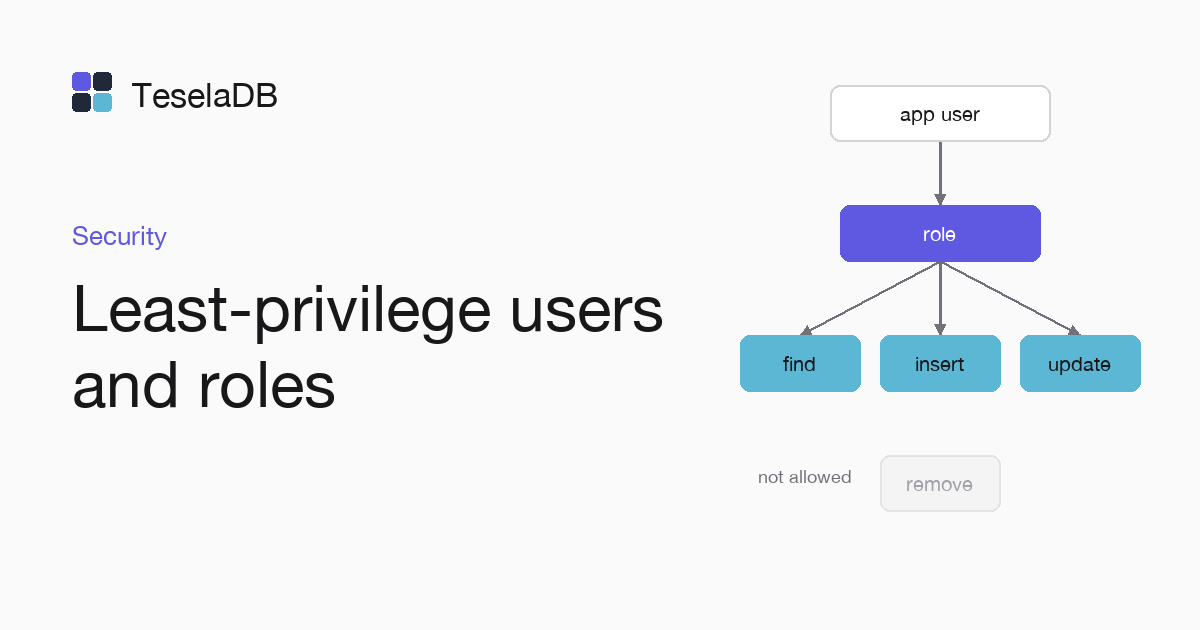
In this guide you will learn to create a role that reads and writes one collection without deleting from it and to give it to an application's user.
An application that only creates and updates orders does not need to delete them or to read other collections. With a custom role you give it only those actions on that collection, so if its password leaks, whoever uses it cannot do more than the application could.
What you will build
An ordersWriter role with the find, insert and update actions on the shop.orders collection, and a
shop-orders user that only has that role.
Requirements
- Docker and
mongosh, to start TeselaDB with TLS and users on your machine.
Set up the environment
docker run -d --name teseladb -p 27017:27017 viuzi/teseladb:latest \
  start --dbpath /data --bind_ip 0.0.0.0
until docker logs teseladb 2>&1 | grep -q '^ready'; do sleep 1; done
ROOT_PASSWORD=$(docker exec teseladb cat /data/root-credentials.txt | sed -n 's/^password=//p')
docker cp teseladb:/data/pki/ca.pem ./ca.pem
export TESELADB_URI="mongodb://root:$ROOT_PASSWORD@127.0.0.1:27017/?tls=true&tlsCAFile=./ca.pem&authSource=admin"
mongosh "$TESELADB_URI" --quiet --eval 'db.runCommand({ ping: 1 }).ok'
mongosh "$TESELADB_URI"
The container starts a node in secure mode, with TLS and users, and its first start creates the certificate authority
and the root user with a random password. The next commands wait for the node's ready line, take that password and
the CA out of the container and leave in TESELADB_URI a string with TLS as root. Once mongosh answers 1, the last
line opens a root session to create the role and the user.
1. Create the role
Each privilege joins a resource, here a collection, with the actions allowed on it:
db.getSiblingDB("admin").createRole({
  role: "ordersWriter",
  privileges: [{ resource: { db: "shop", collection: "orders" }, actions: ["find", "insert", "update"] }],
  roles: [],
});
2. Create the user
The user has only the ordersWriter role. passwordPrompt() asks for the password without leaving it in
the mongosh history:
db.getSiblingDB("admin").createUser({ user: "shop-orders", pwd: passwordPrompt(), roles: ["ordersWriter"] });Try it
In another terminal, from the same folder where ca.pem was left, connect as shop-orders to see what the application can do with that role, because root can do everything and the
test would tell you nothing. mongosh asks for the
password you gave it in step 2:
mongosh "mongodb://shop-orders@127.0.0.1:27017/?tls=true&tlsCAFile=./ca.pem&authSource=admin"Connected as shop-orders, try an insert and a delete on shop.orders, knowing that the role carries the insert
action but none that deletes documents, so only the first of the two writes below can work:
const shop = db.getSiblingDB("shop");
shop.orders.insertOne({ total: 30 });
shop.orders.deleteOne({});
The insert works and the delete fails with Unauthorized, the same error you get if you try to read another
collection of shop.
Clean up
If it was a test, drop the user and the role while connected as root. At the end, remove the container and the CA too with the last two commands: the node keeps its data inside, with no volume, so the role, the user and the data go with it and port 27017 is free again:
db.getSiblingDB("admin").dropUser("shop-orders");
db.getSiblingDB("admin").dropRole("ordersWriter");docker rm -f teseladb
rm ca.pemNext steps
- Users and roles, with the built-in roles and the privileges that each of them carries.
- Privilege actions, with every action a role can carry.