Counters without hotspots
25 minIntermediate
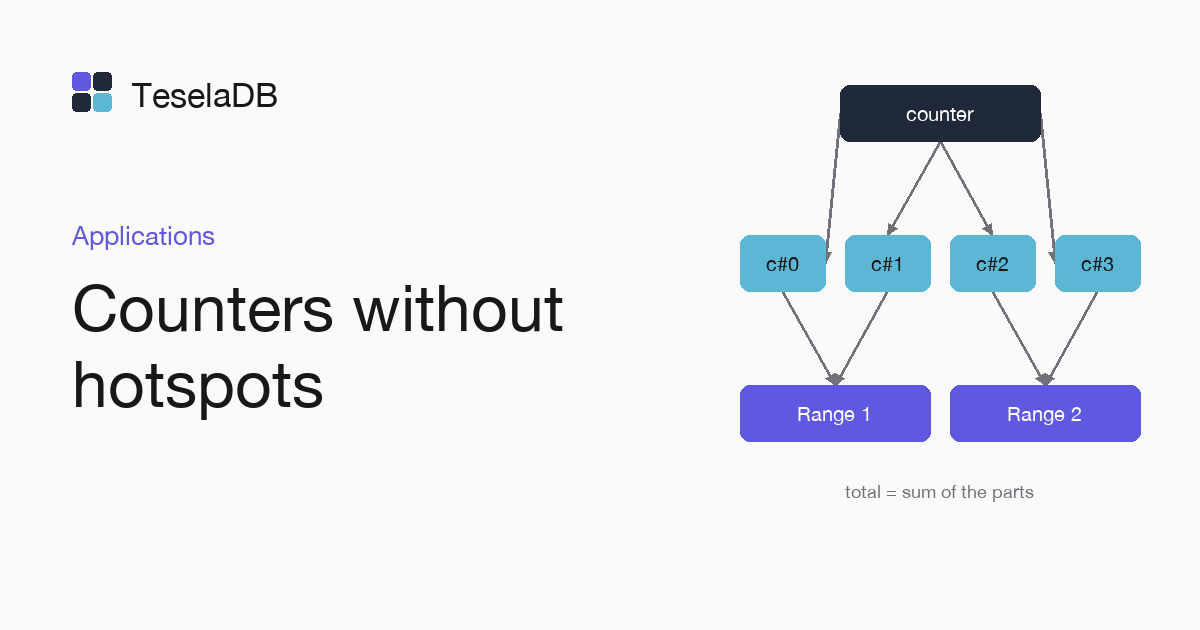
When a counter takes many writes, spreading it across several documents and its date index across buckets keeps the whole load off a single range.
TeselaDB keeps documents and index entries sorted by their key and spreads them across ranges. A counter that every request increments is a single document, in a single range and with a single leader. An index on a creation date sends all its new entries to the end of its interval.
What you will build
A page view counter spread across eight documents, read with an aggregation, and an index on the date of the events with its entries spread across hash buckets.
Requirements
- Docker and
mongosh, to start TeselaDB on your machine and look at the data.
Set up the environment
docker run -d --name teseladb -p 27017:27017 viuzi/teseladb:latest \
  start --dbpath /data --insecure --insecure-allow-remote --bind_ip 0.0.0.0
export TESELADB_URI="mongodb://127.0.0.1:27017/shop"
mongosh "$TESELADB_URI" --quiet --eval 'db.runCommand({ ping: 1 }).ok'
mongosh "$TESELADB_URI"
The container starts a TeselaDB node without TLS or users, which is enough to follow the guide on your machine. Once mongosh answers 1, the node takes connections. TESELADB_URI points at that node and the shop database; in a production cluster the string carries TLS and a user, as Connect your application explains. With one node the ranges split as in a cluster. With several, they also spread. The last line opens mongosh on that database, and in that same shell you type every step of the guide, from the spread counter to the aggregation that adds up its eight documents.
1. Spread the counter
Each increment picks one of the page's eight documents at random. That way the writes go to different keys and do not collide on a single one:
const SHARDS = 8;
for (let i = 0; i < 100; i++) {
  const shard = Math.floor(Math.random() * SHARDS);
  db.pageviews.updateOne({ _id: { page: "home", shard } }, { $inc: { count: 1 } }, { upsert: true });
}
2. Spread the index on the date
With teselaBuckets, the index entries are spread across 16 hash buckets. The planner merges the buckets when it reads,
so queries by date do not change:
db.events.createIndex({ createdAt: 1 }, { teselaBuckets: 16 });Try it
The page total is the sum of its eight documents. An aggregation that matches the page and adds up the count field
of each of them returns the 100 increments written by the loop of step 1:
db.pageviews.aggregate([
  { $match: { "_id.page": "home" } },
  { $group: { _id: "$_id.page", views: { $sum: "$count" } } },
]);[ { _id: 'home', views: 100 } ]Under real load, teseladb admin ranges --collection shop.pageviews shows the counter documents in several ranges once
the collection grows and splits.
Clean up
db.pageviews.drop();
db.events.drop();
At the end, remove the container too with the last command: the node keeps its data inside, with no volume, so everything you wrote during the guide goes with it and port 27017 is free again:
docker rm -f teseladbNext steps
- Keys and hotspots, with why a key that always grows concentrates the load.
- Find hotspots, to see which ranges take the most writes.